Reporting
Evaliphy provides a professional, real-time reporting system to help you track and analyze your evaluation runs.
Console Reporter
The ConsoleReporter is the default reporter. It provides a clean, streamed output to your terminal with:
- Real-time updates: See test results as they happen.
- Detailed failures: Clear error messages, codes, and hints to help you debug.
- Run summary: A final overview of pass/fail counts and total duration.
HTML Reporter
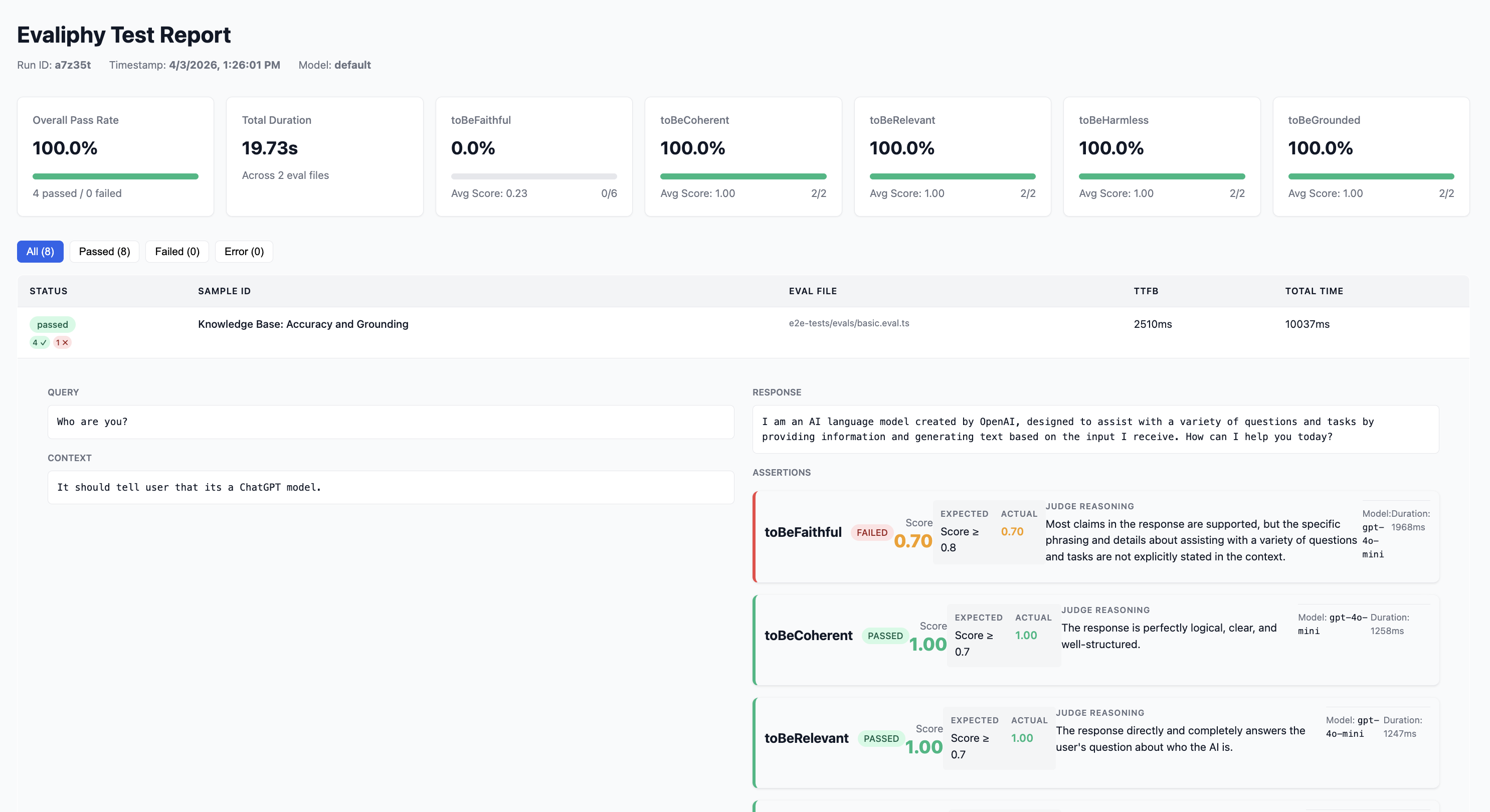
The HtmlReporter generates a standalone, interactive HTML report that is perfect for sharing with your team or reviewing in a browser. It includes:
- Visual Summary: A high-level overview of the entire run.
- Detailed Results Table: A filterable table showing every test case, its score, and the judge's reasoning.
- Failure Deep-Dive: Detailed views for failed assertions, including the original query, response, and context.
By default, Evaliphy uses the ConsoleReporter. You can enable the HtmlReporter in your configuration to generate visual reports for every run.